Getting Started with Replyvoo, From Sign-Up to First AI Reply
A complete walkthrough of Replyvoo, from creating your account to connecting Telegram and watching your first AI Closer answer a real customer in seconds.
If your customers message you on Telegram, every slow reply costs you something. A lead goes cold, a buyer asks a competitor instead, a support question turns into a complaint. Replyvoo fixes that by putting an AI Closer on your Telegram so every message gets a useful answer in seconds, day or night.
This guide takes you from zero to your first live AI reply. Set aside about 20 minutes. By the end you will have an account, a connected Telegram bot, a Closer trained on your business, and a real test conversation in your inbox.
What you are setting up
Before you click anything, it helps to know the moving parts:
- Closers are your AI agents. Each one has a job, a personality and a knowledge base. You can start from a template like Ace (Sales Closer) or Mira (Support Hero).
- Agent Studio is where you build and tune a Closer.
- Channels are where your Closer works. Telegram is live today: bots, groups and your personal account through Telegram Business.
- Pulse Inbox is your shared inbox. Every conversation lands here, and you can take over any chat with one toggle.
- HeatScore ranks your leads as Hot, Warm or Cold so you know who to chase.
- Command Center is your dashboard home, with the numbers that matter at a glance.
That's the core. Everything else (Nudge, Blast, PayLink, Shield, Juno) builds on top.
Step 1: Create your account
- Go to /app and choose Sign up.
- Enter your name, business name, email and a password, or continue with a supported sign-in option.
- Confirm your email if asked.
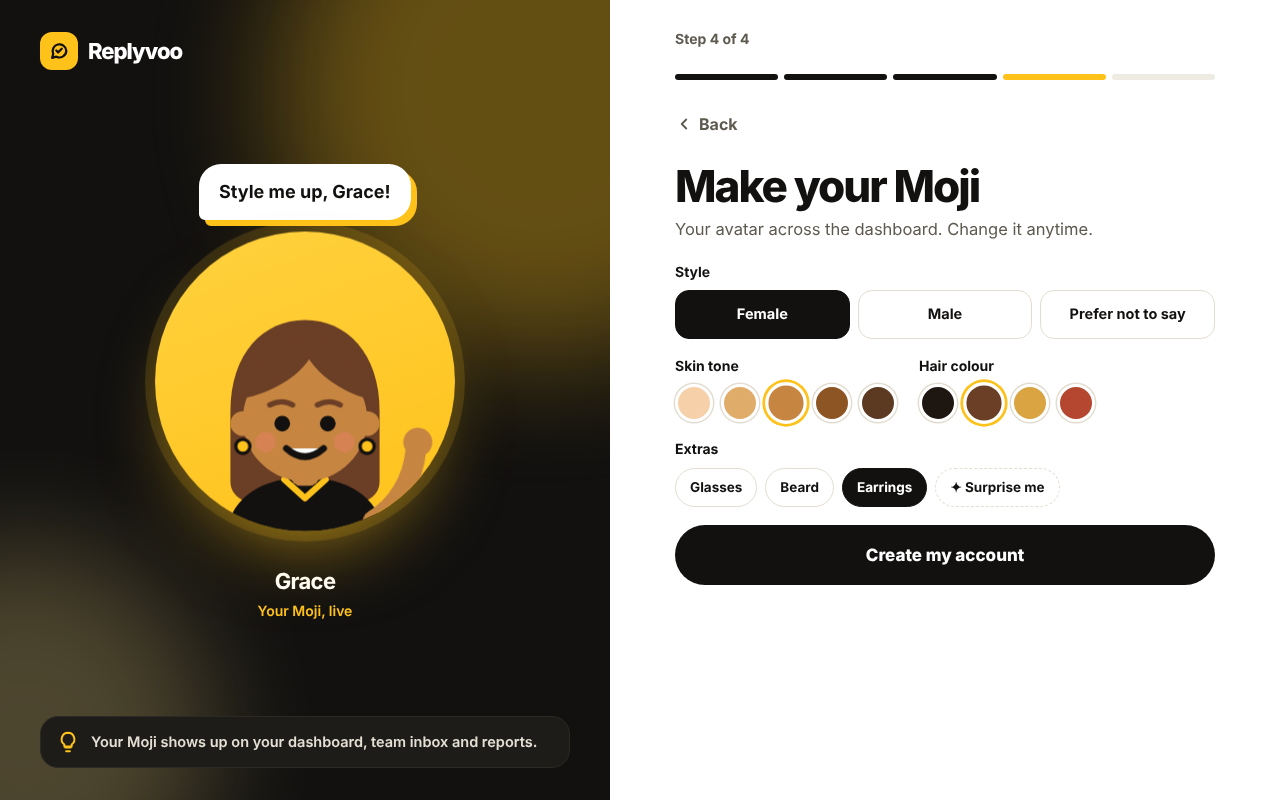
You start on Spark, the free plan. It includes one Closer and 30 conversations a month, which is plenty to test properly with real customers. No card is needed to start.
Step 2: Take a tour of the Command Center
When you land in the dashboard you will see the Command Center. Don't rush past it. This is where you'll check how your Closers are doing every morning.
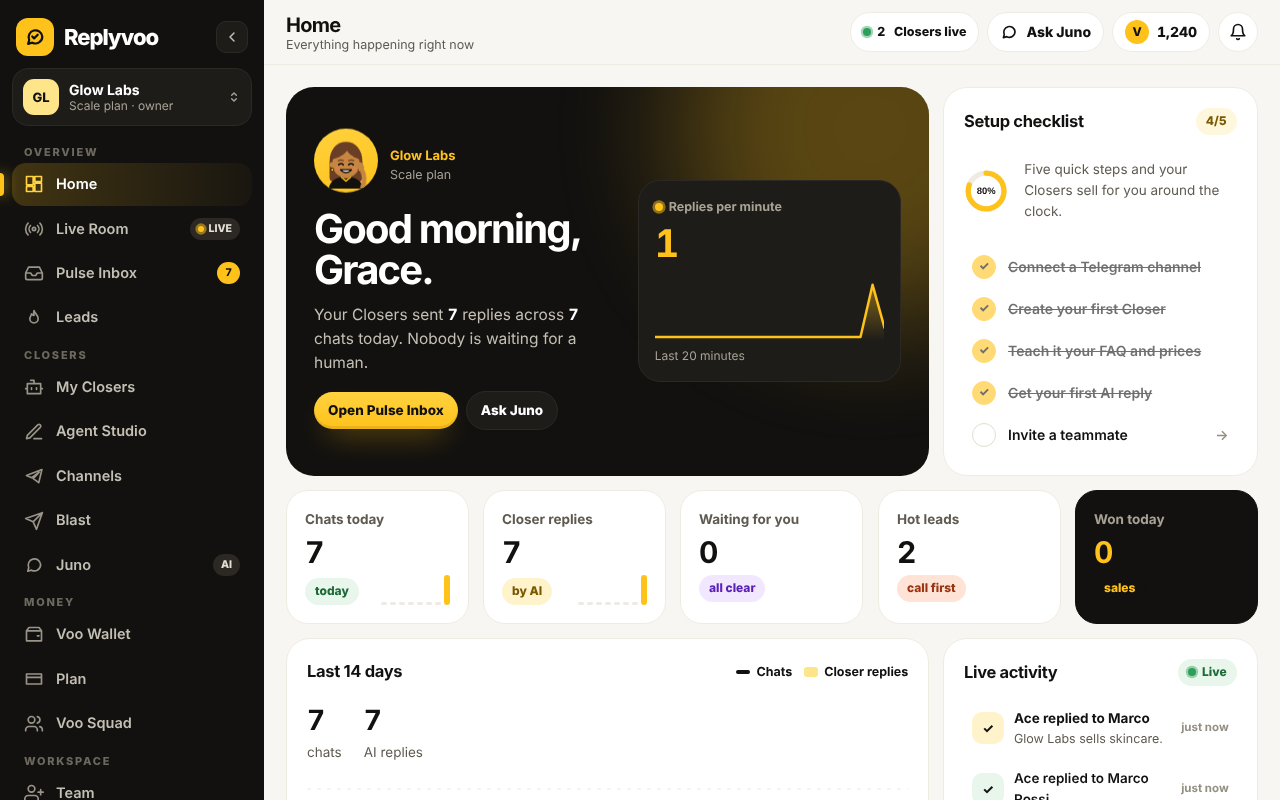
The main things to notice:
- Conversations used this month against your plan allowance
- New leads and how they're scored
- Which Closers are active and on which channels
- Shortcuts to the inbox, Agent Studio and Channels
Right now most of it is empty. That changes in the next ten minutes.
Step 3: Connect Telegram
You have two main ways to connect, and you can use both later.
Option A: A Telegram bot (recommended to start). You create a bot with Telegram's official @BotFather, copy the token it gives you, and paste it into Replyvoo under Channels. This is the fastest route and works for any business. Full walkthrough: Connect a Telegram bot with BotFather.
Option B: Your personal Telegram account. If customers already message you directly, you can let a Closer reply from your own account through Telegram Business. This needs Telegram Premium. Full walkthrough: Put an AI Closer on your personal Telegram.
For this guide, go with a bot. The short version:
- Open Telegram and search for @BotFather (check for the blue verified tick).
- Send
/newbot. - Choose a display name, like "Glow Skincare Help".
- Choose a username ending in
bot, likeglowskincare_bot. - Copy the token BotFather sends you.
- In Replyvoo, open Channels, choose Telegram Bot, paste the token and save.
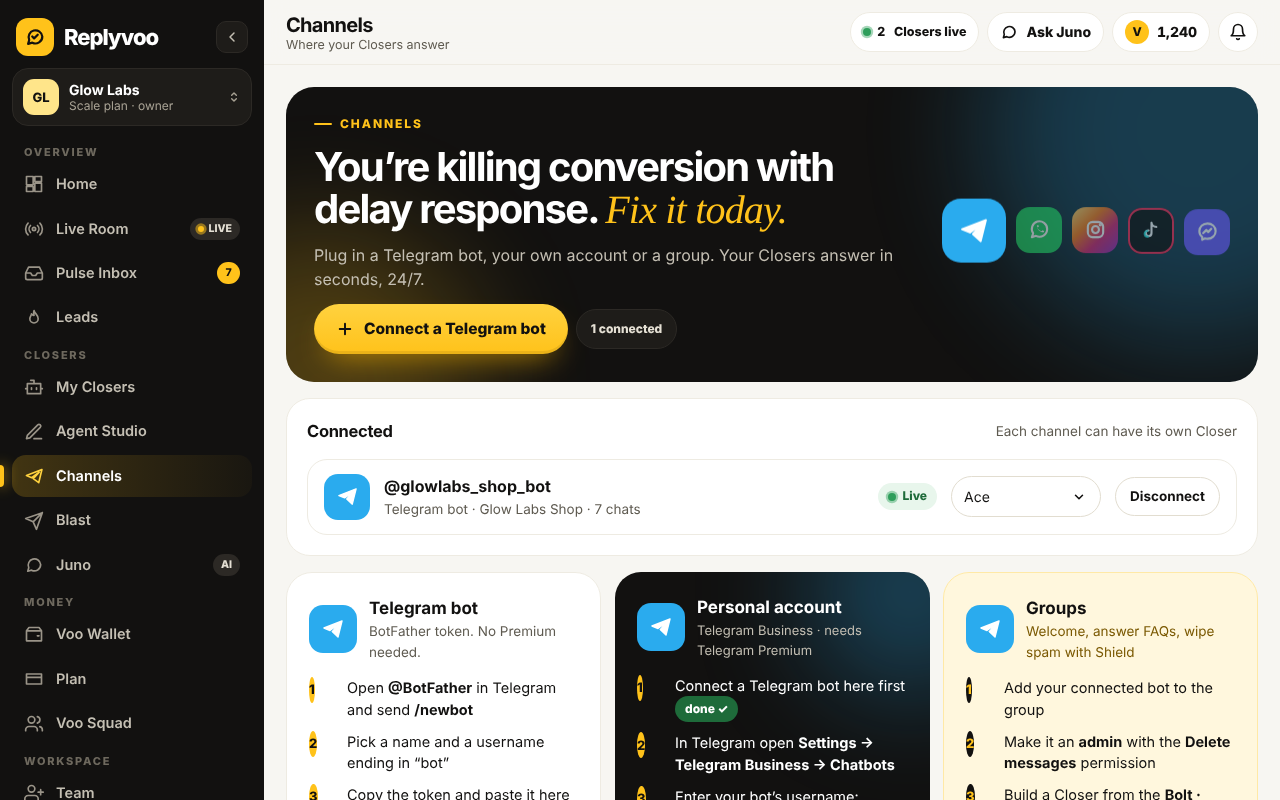
You'll see a green connected status when it works. Keep that token private. Anyone who has it can control your bot.
Step 4: Build your first Closer
Open Closers and choose New Closer. This takes you into Agent Studio.
- Pick a job. Choose a template. For most shops, Ace (Sales Closer) is the right first hire. If you mainly answer order questions and complaints, choose Mira (Support Hero).
- Name it. Customers will see this name. Something warm and simple works: "Maya from Glow".
- Set the personality. Move the sliders for Friendly↔Formal, Short↔Detailed, and how many emoji to use. Chat customers usually prefer friendly and short.
- Turn on skills. Start with Smart handoff on, so the Closer passes tricky chats to you. Add PayLink if you want it to send payment links.
- Add knowledge. Paste your FAQ, prices, delivery info and policies. You can also upload a
.txtor.mdfile. - Choose the channel. Select the Telegram bot you just connected.
The live preview phone on the right shows how replies will look as you change settings.
We go deeper on every option in Build your first Closer in Agent Studio.
Step 5: Test before customers see it
Use Test chat in Agent Studio. Ask the questions your customers really ask:
- "How much is the vitamin C serum?"
- "Do you deliver to Abuja?"
- "Can I pay on delivery?"
- "My order hasn't arrived, what do I do?"
Read every answer as if you were the customer. If something is wrong or vague, the fix is almost always in the knowledge base, not the settings. Add the missing fact, then test again.
Your Closer is only as good as what you tell it. Ten minutes on your FAQ beats an hour fiddling with sliders.
If you want a structure for that, read Write a knowledge base your Closer can actually use.
Step 6: Send your first real message
Now go live:
- Open Telegram on your phone (or ask a friend).
- Search for your bot's username and tap Start.
- Send a question, like "Hi, what are your prices?"
Within seconds, your Closer replies. Then open Pulse Inbox in Replyvoo.
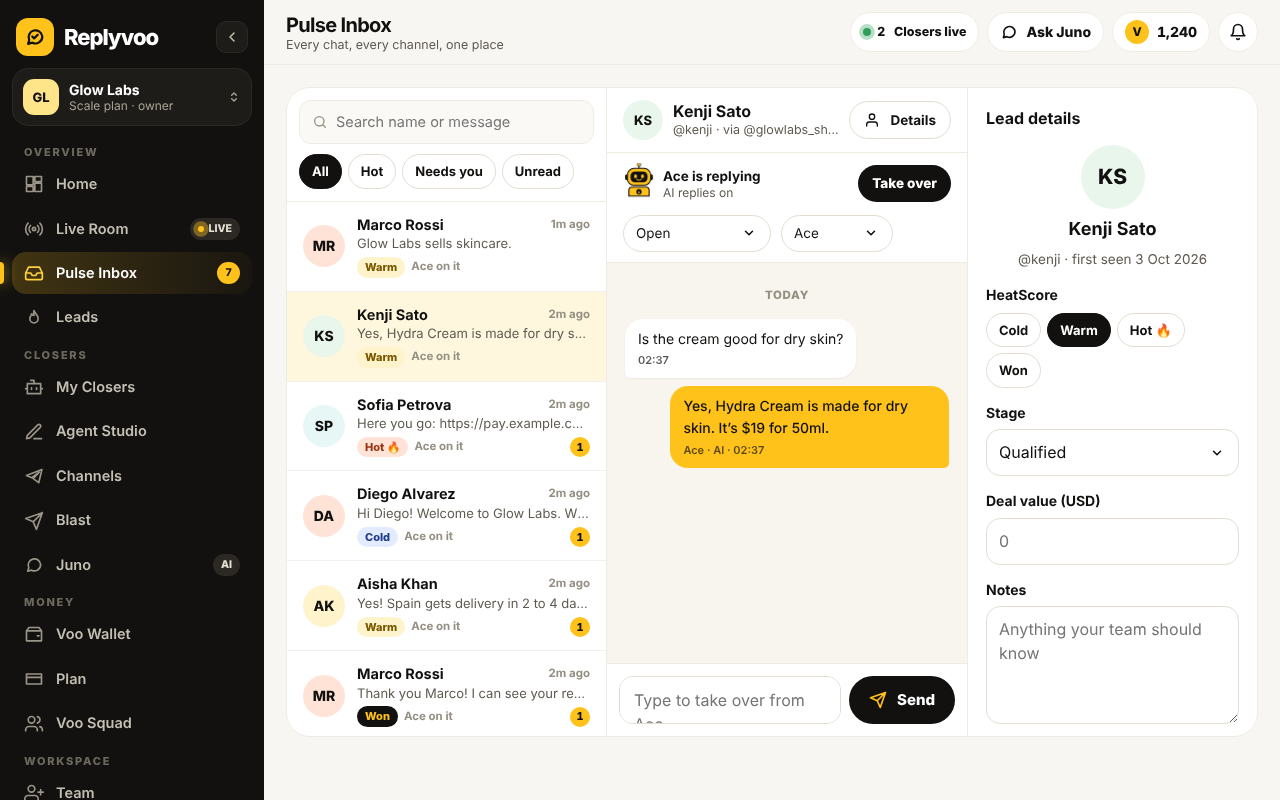
You'll see the conversation, the AI's replies, and an AI replies toggle at the top of the chat. Switch it off and you are typing to the customer yourself. Switch it back on and the Closer resumes. That's human takeover, and it's how you stay in control. More in Pulse Inbox and human takeover.
Step 7: Put your bot where customers will find it
A bot nobody knows about answers nobody. Share the link t.me/yourbotname in:
- Your Instagram and TikTok bio
- Your website's contact button
- Your WhatsApp status and broadcast lists
- Ad creatives that send people to Telegram
- Product packaging and receipts
If you run paid ads to Telegram, also look at Joinvoo, our sister product that tracks which ads bring real joins and buyers.
What to check in your first week
Daily, for the first seven days:
- Read the Night Shift Report. It summarises what your Closers handled overnight.
- Skim Pulse Inbox. Look for answers that were wrong or awkward, and fix the knowledge behind them.
- Check HeatScore. Hot leads deserve a personal message from you.
- Ask Juno. Juno is the AI assistant for your business. Ask things like "What did customers ask about most this week?"
By the end of the week your Closer will be noticeably sharper, because you'll have filled the gaps real customers exposed.
When to upgrade
Spark is free forever for small volume. You'll know it's time to move up when:
- You hit your 30 conversations before month end
- You want a second Closer, for example one for sales and one for support
- You want group moderation with Bolt and Shield, or follow-ups with Nudge at scale
Starter ($29/month) gives you 2 Closers and 500 conversations. Pro ($149/month) gives 10 Closers and 3,500 conversations and is the plan most growing businesses pick. See everything on the pricing page, or read how Replyvoo pricing works.
Common first-day mistakes
- Leaving the knowledge base thin. The AI can't guess your delivery fee.
- Turning off Smart handoff. Keep it on. Some chats need a human.
- Making the Closer too formal. Chat is casual. Match how your customers type.
- Not testing payments. If PayLink is on, run a test purchase yourself.
- Forgetting to promote the bot. Put the link everywhere.
Next steps
- Start free on Replyvoo and get your first Closer live today
- Connect your Telegram bot with BotFather
- Build and tune your Closer in Agent Studio
Your first Closer is free and live in minutes.